
UI/UX Design for Better Conversions: A Complete Guide for Businesses

A potential customer lands on your website, explores a service page and leaves without making an enquiry. Another starts filling out a form but abandons it halfway through. Your website may be attracting the right audience, yet the experience is making it harder for visitors to take the next step.
Effective UI UX design services help businesses identify and remove these points of friction. By improving navigation, clarifying service information, and simplifying key actions, businesses can make it easier for visitors to move toward a purchase, enquiry, or booking.
These improvements can affect the return on your marketing spend, the number of qualified leads your sales team receives and the revenue your digital channels generate.
This guide explains how UI/UX design influences conversion performance, which design decisions deserve attention and how businesses can use UX optimisation to improve their digital experiences.
What Is UI/UX Design, and How Does It Affect Conversions?

UI, or user interface, covers the visual and interactive elements people use to navigate a digital product. These include buttons, menus, forms, page layouts, typography and other interface components.
UX, or user experience, considers the complete journey. It looks at how easily users can find information, understand what is offered, complete tasks and achieve their goals.
Both influence conversion performance, but they address different parts of the experience.
For example, a service page might have a visually prominent enquiry button. That is a UI decision. If visitors still cannot understand what the service includes, who it is for or what happens after they enquire, the wider user experience needs attention.
A conversion-focused design considers both.
The desired conversion will depend on the business model. It could be a product purchase, a qualified enquiry, a demo booking, an account registration or a completed application.
The goal is to make the path to that action clear and straightforward while giving users enough information to make a confident decision.
What Is the Primary Goal of Conversion-Focused UI/UX Design?
UI/UX Design Principles That Support Better Conversions
Good design helps visitors understand an offering, find relevant information and complete important actions. These principles provide a practical foundation for UI UX for business websites.
Make the user journey easy to follow
Organise pages around the decisions visitors need to make. A B2B service website may need to explain a business problem, present a relevant service and establish credibility before inviting an enquiry. An ecommerce website must support product discovery, comparison and checkout.
Keep the journey focused on the information users need at each stage.
Establish a clear visual hierarchy
Use headings, supporting copy, imagery, spacing and calls to action to show visitors where to focus their attention.
For example, a service page should make the offering and its relevance clear before asking visitors to submit an enquiry. The primary action should stand out without competing with too many alternatives.
Reduce friction in important interactions
Review forms, navigation menus and other interactions for unnecessary steps. Remove fields that aren’t needed at that stage, explain unfamiliar terms and make errors easy to correct.
Keep essential steps when they help users make informed decisions. The aim is to remove avoidable effort, not useful information.
Maintain consistency across the experience
Navigation, button behaviour, typography, spacing and form patterns should work consistently across related pages.
A reusable design system helps teams maintain that consistency as the website grows and makes components easier to implement and maintain.
Design for accessibility and different devices
Ensure users can read content, navigate the interface and complete essential actions across supported devices and assistive technologies.
Readable text, sufficient contrast, keyboard accessibility, descriptive labels and clear focus states all contribute to a more usable experience. Consider these requirements during design and development rather than leaving them until the final review.
Find What’s Holding Your Website Back
Identify where users encounter friction and which UI/UX improvements deserve attention first, based on your business goals and website performance.
How to Use UX Optimisation to Improve Conversion Rates
UX optimisation is the process of using user behaviour and performance data to identify usability issues, prioritise changes and measure their effects.
Step 1: Establish a performance baseline
Record how the current experience performs before making changes. Depending on your conversion goal, useful metrics include:
- Website conversion rate
- Enquiry form completion and abandonment rates
- Checkout completion rate
- Qualified enquiries or demo bookings
- Task completion time for digital products
Choose measures that reflect business outcomes. For example, more form submissions may have limited value if lead quality declines.
Step 2: Identify where users drop off
Use analytics to find pages or steps where visitors leave the journey. Session recordings, heatmaps and form analytics can help investigate specific issues, subject to appropriate privacy controls.
These tools show where problems may exist, but they don’t always explain why. User feedback and usability testing can help establish the cause.
Step 3: Prioritise changes
Focus on issues affecting important journeys, particularly where the available evidence suggests a meaningful opportunity for improvement.
If visitors frequently abandon an enquiry form, investigate its length, field requirements, error handling and mobile usability before committing to a wider redesign.
Step 4: Test the changes
Use A/B testing when traffic and testing conditions allow a reliable comparison between alternatives. For lower-traffic websites, structured usability tests may provide more useful evidence.
Define the success metric before testing and account for factors that could influence the results.
Step 5: Measure the business impact
Compare performance with the original baseline. Review the primary conversion metric alongside relevant outcomes, such as lead quality, completed purchases or task success.
Use the findings to decide which changes to retain, refine or investigate further.
The Design Thinking Process Behind Effective UI/UX
The design thinking process helps teams move from understanding a user problem to developing and validating a suitable solution. It brings user needs, business objectives, and technical feasibility into one process.
For instance, improving checkout design could increase conversion rates by an average of 35.26% for large e-commerce sites
1. Understand the users
Use customer interviews, support queries, stakeholder discussions and existing research to understand what users are trying to achieve and where they encounter difficulties.
2. Define the problem
Turn the findings into a specific problem statement. For example, visitors may reach a service page but struggle to determine which offering fits their requirements.
3. Explore possible solutions
Consider different approaches to page structure, content, navigation and interactions. A new visual design may help, but clearer explanations or a simpler journey could address the problem more directly.
4. Prototype and test
Create wireframes or interactive prototypes to explore potential solutions before committing to full development. Test whether users can complete relevant tasks and understand the proposed experience.
5. Implement and validate
Develop the selected design, check its functionality across supported devices and confirm that it addresses the original problem. Once live, its performance can be evaluated through the UX optimisation process.
Choosing a UI Design Company for Your Business

A UI design company should understand the commercial purpose of the digital experience, not only its visual appearance.
When evaluating a potential partner, consider the following.
- Business understanding: Can the team connect design decisions to your customer journey, conversion goals and operating requirements?
- Research and testing: Does its process include user research, usability testing or other ways to validate assumptions?
- Design and development alignment: Can the team work with your existing technology or support implementation where required?
- Measurement: Will it help define success metrics and evaluate the experience after launch?
- Long-term usability: Can the design accommodate new services, content, integrations and changing business needs?
The right engagement may involve improving a few high-friction pages, redesigning a complete website or rethinking a digital product’s workflow. The scope should follow the evidence and business priorities.
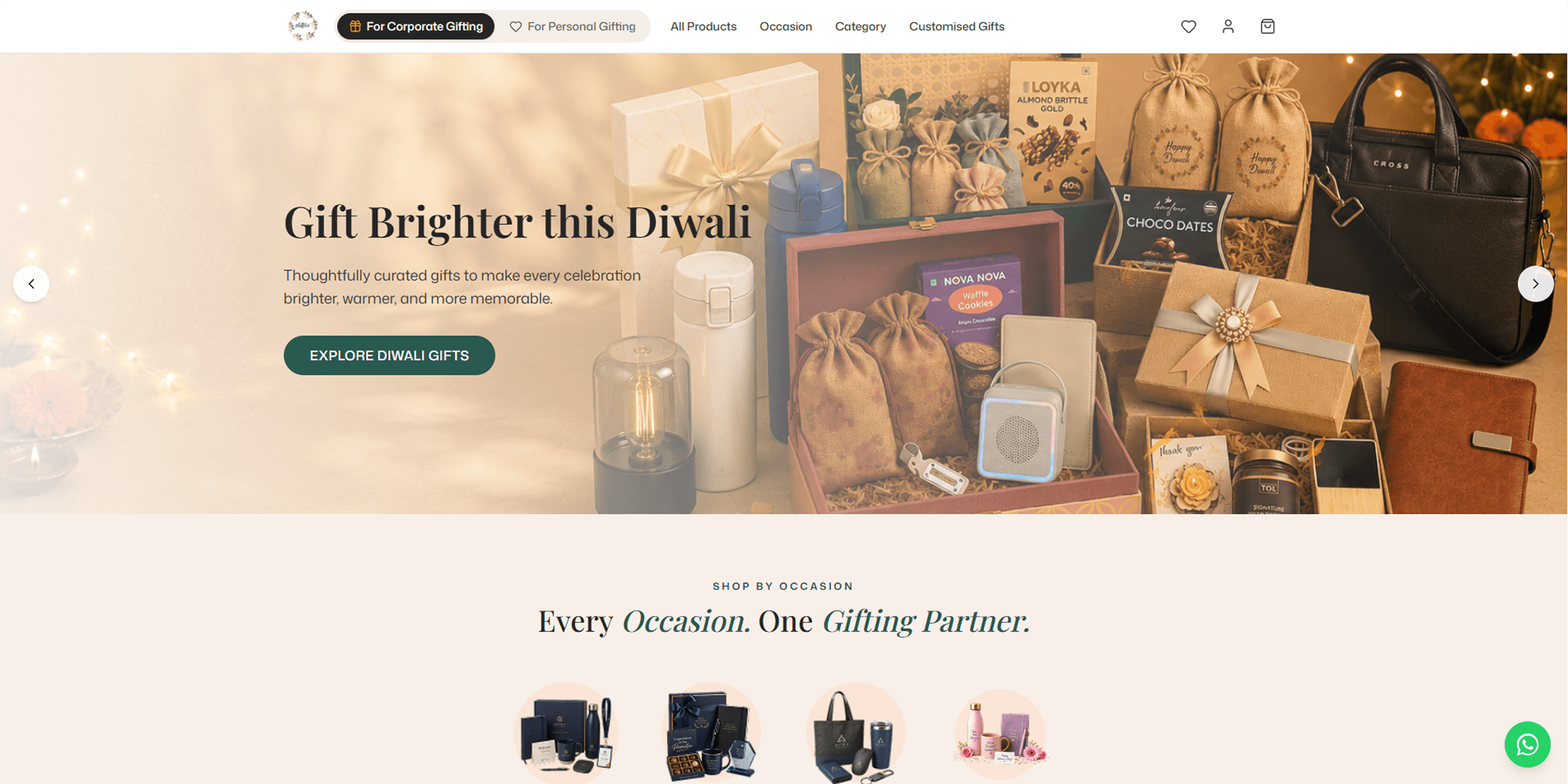
3×
Faster quote-to-order turnaround (estimated)
28K+
Delivery pin codes
4.8★
Customer rating
Plattera
A corporate gifting website designed to simplify product discovery, bulk ordering, and quotation requests for business buyers.
UI/UX decisions influence how customers experience your business, but their value depends on how well they address the actual problem.
At Olio Nexus, we approach digital experiences by understanding the business objective, the user journey and the technology behind it. That context helps determine whether the priority is interface design, workflow improvement, software development or a combination of these.
Share This Blog:



Author
Vanita Gaware

Product Manager, Olio Nexus
Vanita Gaware, Product Manager at Olio NeXus, champions the idea that every great product starts with asking the right questions. She thrives where business goals, user journeys, and technology meet, turning complexity into clarity. She writes about AI, software, product strategy, and the choices that turn technology into real-world value.
Is Your Website Making Conversions Harder Than They Need to Be?
If visitors aren't taking the actions you expect, we can identify friction across your website, user journey, and underlying technology, then prioritise improvements around your business goals.
Frequently Asked Questions
UI/UX design can improve conversions by helping visitors understand an offering, find relevant information and complete actions with less friction. The effect depends on existing problems, the changes implemented, and how performance is measured.
Related Articles



Subscribe To Our Insight
Get the latest AI, technology, and business insights from Olio Nexus.